
Legacy System Modernization: When to Migrate, Refactor, or Rebuild
A practical guide to choosing between migration, refactoring, and rebuilding your legacy system. Includes a 5-question decision framework, real-world examples, and common mistakes to avoid.
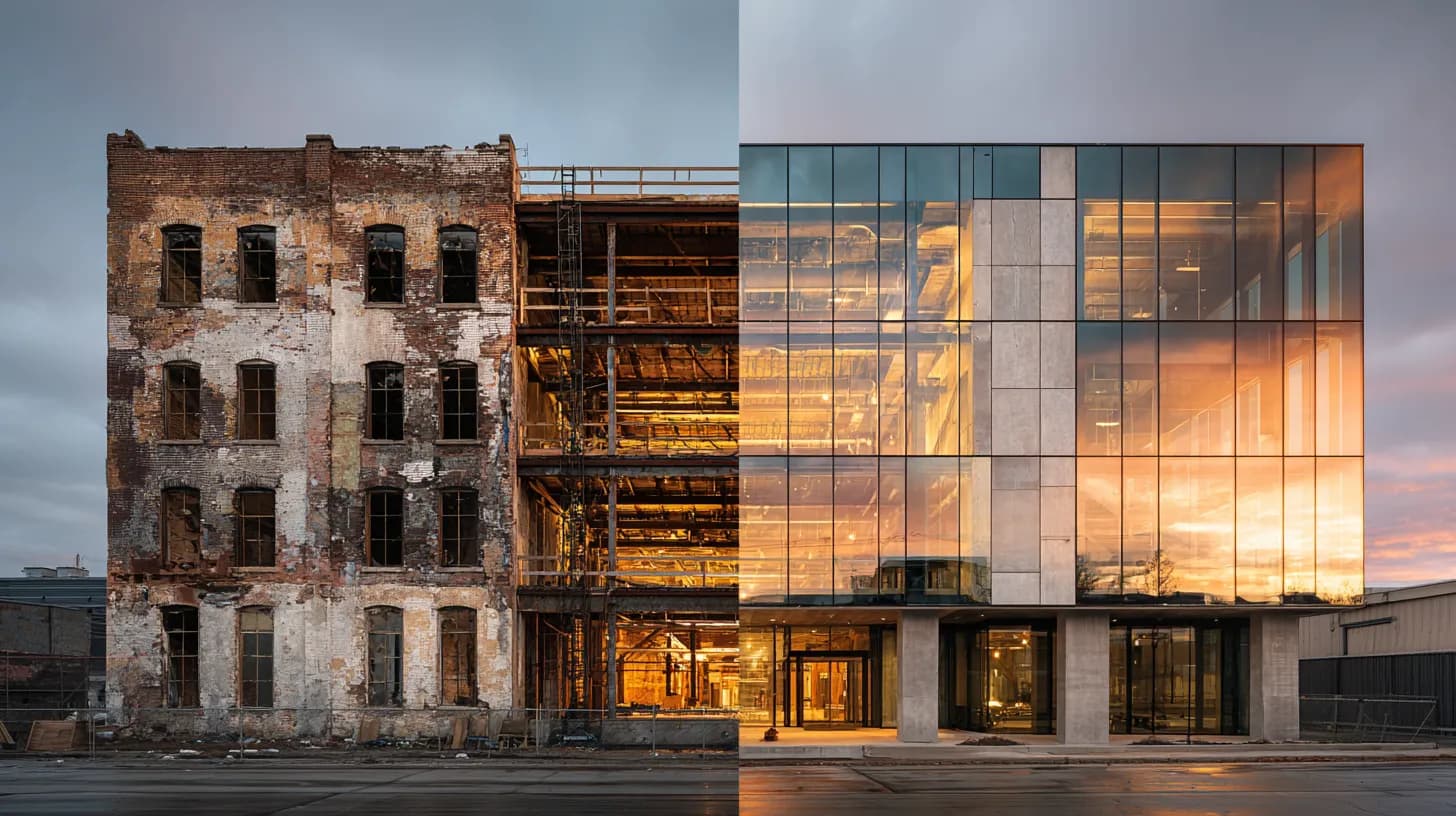
Your platform still works. Sort of. But every new feature takes twice as long as it should, your deployment process involves a prayer and a Slack message, and the last developer who understood the authentication layer left two years ago.
You know modernization is coming. The real question isn't whether, it's how far you need to go.
This guide breaks down the three main paths: migration, refactoring, and rebuilding (with a decision framework you can apply to your own system today).
First: Is Your System Actually "Legacy"?
The word gets thrown around a lot, but age alone doesn't make a system legacy. We've seen five-year-old platforms with worse technical debt than fifteen-year-old ones, and decade-old systems that run beautifully because someone invested in maintaining them.
A system becomes legacy when it starts limiting what the business can do. That's the definition that matters: the gap between what the business needs and what the technology can deliver.
Here are the five signals worth paying attention to:
1. Your team spends more time maintaining than building. Engineers burning 60–70% of their time on bug fixes, patching, and workarounds instead of shipping features? The system is working against you. This is the most common early warning sign, and it compounds fast. Every month of delay grows the maintenance burden.
2. Deployments are slow, risky, or both. Pushing a change to production requires a manual process, takes more than an hour, or routinely causes regressions in unrelated parts of the application. Modern CI/CD pipelines should make deployment boring. If yours is anything but, that's a signal the architecture has outgrown its original design.
3. You can't hire for your stack. Job postings sit open for months because the technology is niche, unsupported, or unappealing to experienced engineers. This talent problem only gets worse over time. And the developers you do have are probably eyeing the door.
4. Integration with anything new is painful. Connecting a payment gateway, analytics tool, or third-party API turns into a multi-week project because the architecture doesn't support clean API communication. Your system is actively blocking growth.
5. Security patches keep you up at night. Frameworks or libraries your system depends on have reached end-of-life and no longer receive security updates. This is the kind of thing that turns into a compliance incident or breach.
If three or more of these apply, modernization isn't optional. It's a question of approach.
The Three Paths: Migration, Refactoring, and Rebuilding
Every modernization project comes down to one of these three strategies or, more realistically, a combination of them applied to different parts of the same system. Understanding when each one fits is the most important decision you'll make.
Path 1: Migration (Lift-and-Shift)
Migration means moving your application to a new environment, typically from on-premise infrastructure to the cloud, without significantly changing the code. You take what you have and run it somewhere better.
When migration makes sense:
The core application logic is sound, but the infrastructure is the bottleneck. You're running on aging servers with manual scaling, paying too much for hardware maintenance, or struggling with uptime because your hosting environment is unreliable. The code works but it just needs a better home.
Migration is also the right first step when the system is too complex to refactor or rebuild all at once. It (might) reduce infrastructure costs quickly while buying time for a more thorough modernization later.
When it doesn't:
If the architecture itself is the problem (eg. an architecture design that can't scale, tightly coupled components that break whenever you touch one thing, a data model that doesn't match how the business operates, etc.) migration just moves your problems to a fancier server. You'll spend money on cloud infrastructure and still face the same deployment headaches, the same slow feature delivery, the same fragile codebase.
We've seen teams migrate to AWS/Azure/GCP and end up more frustrated than before. They expected the cloud to fix architectural issues that only code changes can address.
Typical timeline: 3–8 weeks for straightforward applications. Longer for systems with complex data dependencies or regulatory constraints.
Cost profile: Lowest upfront cost of all three paths. But watch for hidden costs: cloud bills! that surprise you because the application wasn't optimized for cloud-native pricing models, and the ongoing technical debt that migration alone doesn't address.
Path 2: Refactoring
Refactoring means restructuring the existing codebase by improving its internal design without changing what it does externally. Think of it as renovating a house: new wiring, better plumbing, maybe knocking down a wall. But the foundation stays.
When refactoring makes sense:
The application's core business logic is still valuable, the overall architecture can support the changes the business needs, but code quality has degraded over time. Common scenarios include a codebase riddled with technical debt that slows development to a crawl, or a system with performance bottlenecks in specific modules that can be isolated and improved.
Refactoring is also the right choice when business continuity is critical and you can't afford downtime or a parallel-run period. The Strangler Fig pattern (gradually replacing components of the old system with new ones until the original is fully supplanted) is one of the most reliable approaches here. You keep the system running while incrementally improving it. No big-bang cutover, no months of darkness where nothing ships.
When it doesn't:
If the fundamental architecture is wrong for what the business needs, refactoring is polishing a flawed design. Clean up the code all you want, if the data model doesn't support the product direction, the system was built as single-tenant and now needs to serve multiple clients, or the technology choices create hard limits on performance... you're spending engineering time on improvements that won't get you where you need to go.
We once inherited a platform where the previous team had spent months refactoring individual modules, carefully improving code quality. But the core architecture (how data flowed between components, how authentication worked, how the system handled user's permissions) was fundamentally misaligned with the product roadmap. All that refactoring effort made the code cleaner. It didn't move the business forward. Our team intervened and eventually had to rebuild the whole thing anyway.
Typical timeline: 3–9 months for substantial refactoring (even more, depending on the product), though the beauty of incremental approaches is that you see value continuously rather than waiting for a big release.
Cost profile: Moderate. More expensive than migration, significantly less than a full rebuild. The risk is scope creep as refactoring projects tend to expand as engineers discover more problems once they start digging.
Path 3: Rebuilding
Rebuilding means starting from scratch. New architecture, new codebase, modern frameworks. You're tearing down the house and building a new one on the same lot.
When rebuilding makes sense:
The existing system has hit a dead end. The architecture can't support the product roadmap. The technology stack is so outdated that finding developers is nearly impossible. Security vulnerabilities are structural, not patchable. Or the accumulated technical debt is so severe that continuous refactoring would cost more than starting over.
Rebuilding also makes sense when the business itself has changed dramatically since the original system was built (eg. you started as a single-product company and now serve multiple markets, your platform needs to handle 100x the traffic it was designed for, your business model shifted from B2C to B2B, etc.). The original system may simply not be the right foundation anymore.
When it doesn't:
Rebuilding is the most expensive, riskiest path and it gets chosen more often than it should. Sometimes because engineers find it more exciting to build new things than fix old ones. Sometimes because decision-makers underestimate the complexity hidden in the existing system.
The classic trap: the team decides to rebuild, estimates 8 months, and discovers at month 4 that the old system contained years of accumulated business logic, edge cases, and integrations that nobody documented. The rebuild takes 16 months, costs three times the budget, and still doesn't reach feature parity. Meanwhile, the business has been running two parallel systems for over a year (auch).
If you can isolate the problems to specific subsystems, consider rebuilding only those parts rather than the entire application. A hybrid approach: rebuild the critical path, refactor what works, migrate what doesn't need changing is often the most pragmatic strategy.
Typical timeline: 6–18 months for a full rebuild (even more depending on system complexity). Budget for the upper end.
Cost profile: Highest of all three paths. But when the existing system is genuinely holding the business back, the cost of not rebuilding (measured in lost opportunities, slow feature delivery, and ongoing maintenance drag) often exceeds the rebuild investment within two to three years.
A Decision Framework You Can Use
Instead of agonizing over which path to choose in the abstract, run your system through these five questions. They won't give you a definitive answer (that requires a proper technical assessment) but they'll point you in the right direction.
1. Is the architecture fundamentally sound?
If yes → Migration or Refactoring. The bones are good, you're optimizing, not replacing.
If no → Rebuilding (full or partial). You can't refactor your way out of a wrong architecture.
2. How much of the existing business logic is documented or understood?
If most of it is well-understood → Rebuilding is safer, because you can specify what the new system needs to do.
If large parts are undocumented tribal knowledge → Refactoring is less risky, because you're preserving logic you might not be able to recreate.
3. Can the business tolerate a transition period?
If you need continuous operation → Strangler Fig refactoring or phased migration. No big-bang cutover.
If you can run parallel systems → Rebuilding becomes more feasible.
4. What's the team's capacity and skill set?
If your team knows the existing codebase deeply → Refactoring leverages their knowledge.
If you're bringing in a new team or partner → Rebuilding may be more efficient than getting them up to speed on legacy code they'll eventually replace anyway.
5. Where is the business heading in 2–3 years?
If the product direction is evolutionary → Refactoring aligns the system incrementally with where you're going.
If the product direction represents a fundamental shift → Rebuilding gives you a foundation designed for the future rather than adapted from the past.
In practice, most real projects end up being a combination: rebuild the authentication and data layer, refactor the business logic, migrate the reporting system to a managed cloud service. The framework above helps you make that call component by component, not as one monolithic choice.
The Mistakes That Derail Modernization Projects
We've been on both sides of this: building platforms from scratch and taking over systems that previous teams couldn't maintain. Across dozens of projects, the same mistakes show up repeatedly.
Skipping the audit. The temptation is to jump straight into code. The problems seem obvious, so why waste time documenting them? Because most systems are more interconnected than they appear. That API endpoint nobody uses? A partner integration depends on it. That "dead" database table? It feeds a quarterly compliance report. A proper technical audit that is mapping dependencies, documenting integrations, identifying the components that carry real business risk takes days (max weeks), not months. Skipping it costs months.
Choosing the approach based on excitement, not evidence. Engineers naturally gravitate toward rebuilding because it's more interesting. Executives push for migration because it sounds faster and cheaper. Neither instinct is reliable. The right approach should follow from a clear assessment of the system's condition and the business's needs and not from who's most persuasive in the room.
Underestimating data migration. We can't stress this enough. Data migration is the most consistently underestimated aspect of any modernization project. Schemas don't map cleanly. Data quality issues surface that nobody knew about. Foreign key relationships break when you change the data model. If your plan doesn't explicitly allocate time for data migration: including validation, rollback procedures, and parallel-run testing... add 30% to 40% to your timeline now.
Trying to modernize and add features at the same time. Modernization should replicate existing functionality on a better foundation. Adding new features during the transition is how projects balloon in scope and timeline. Get to parity first. Ship new capabilities once the foundation is stable. This sounds obvious, but in practice it takes real discipline to enforce.
Skipping observability from day one. Whatever path you choose, you need monitoring, logging, and alerting from the very first deployment. Not "we'll add it later." Not "once we're past the initial migration." From day one. When things go wrong during a modernization (and they will) you need to know immediately, and you need the data to understand why.
What We Learned From a 12-Month Rebuild
We didn't write this guide in the abstract. We just wrapped up a 12-month rebuild for a client whose platform was running on a combination of Laravel and CodeIgniter: two PHP frameworks stitched together in ways that made adding new features nearly impossible. The data model had drifted so far from how the business operated that every change required workarounds on top of workarounds.
Refactoring wasn't going to cut it. The architecture was the problem, not the code quality. So we rebuilt. Here's what we took away:
Audit the data model before you write a line of code. We spent the first few weeks mapping every table, relationship, and undocumented dependency. That upfront investment caught integration dependencies and edge cases that would have derailed us mid-build.
Ship CI/CD first, not last. Automated testing and deployment from day one meant the team was deploying with confidence multiple times a day and not holding their breath on a Friday afternoon push.
A clean architecture pays for itself in infrastructure alone. The old platform brute-forced its way through performance problems with oversized servers. The rebuild cut hosting costs by over 50% and shaved 200ms off page load times.
Get authentication right early. The original system had a fragile, bolted-on auth layer that created security risks and blocked multi-tenant features. Building a sophisticated authentication system into the new architecture from the start added time upfront but unlocked capabilities the client had been waiting years for.
If your platform is showing similar warning signs, or you're already debating whether to migrate, refactor, or rebuild, we're happy to help you think through the decision before any code gets written. Get in touch →